 Keywright
early development · v0.1
Your keyboard, written down.
Keywright remaps keys with layers, tap/hold, combos, macros and per-app profiles — all in one readable TOML file, with a visual editor to match.
MIT licensed, written in Rust. Source is private for now, public soon. Live remapping is implemented for Linux (not yet run-tested); Windows and macOS are not there yet — details below.
What it does

Layers
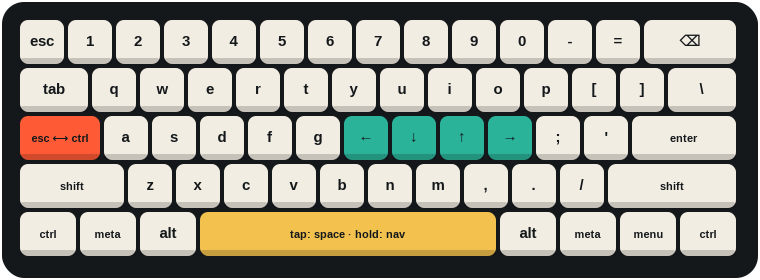
Hold a key to reach a second keyboard underneath: arrows on home row, numbers, symbols. Toggle or momentary.

Tap / hold
Caps Lock is Escape when tapped, Ctrl when held. Pressing another key while held counts as a hold.

Combos
Press J and K together to get Escape. Configurable timing window.

Macros
Send key sequences with delays, bound to any key.

Per-app profiles
Override keys when a given application id matches. The engine supports it; automatic focus detection is not built yet.
RGB for the AULA WIN 60 HE
Read and set effect, brightness, speed, colours and direction over hidraw, with a backup first and read-back verification. Run on a real keyboard (brightness verified). Per-key colour write: protocol only.

Plain TOML + editor
Validate in the terminal, simulate key traces without touching your keyboard, or click keys in the GUI.
The GUI
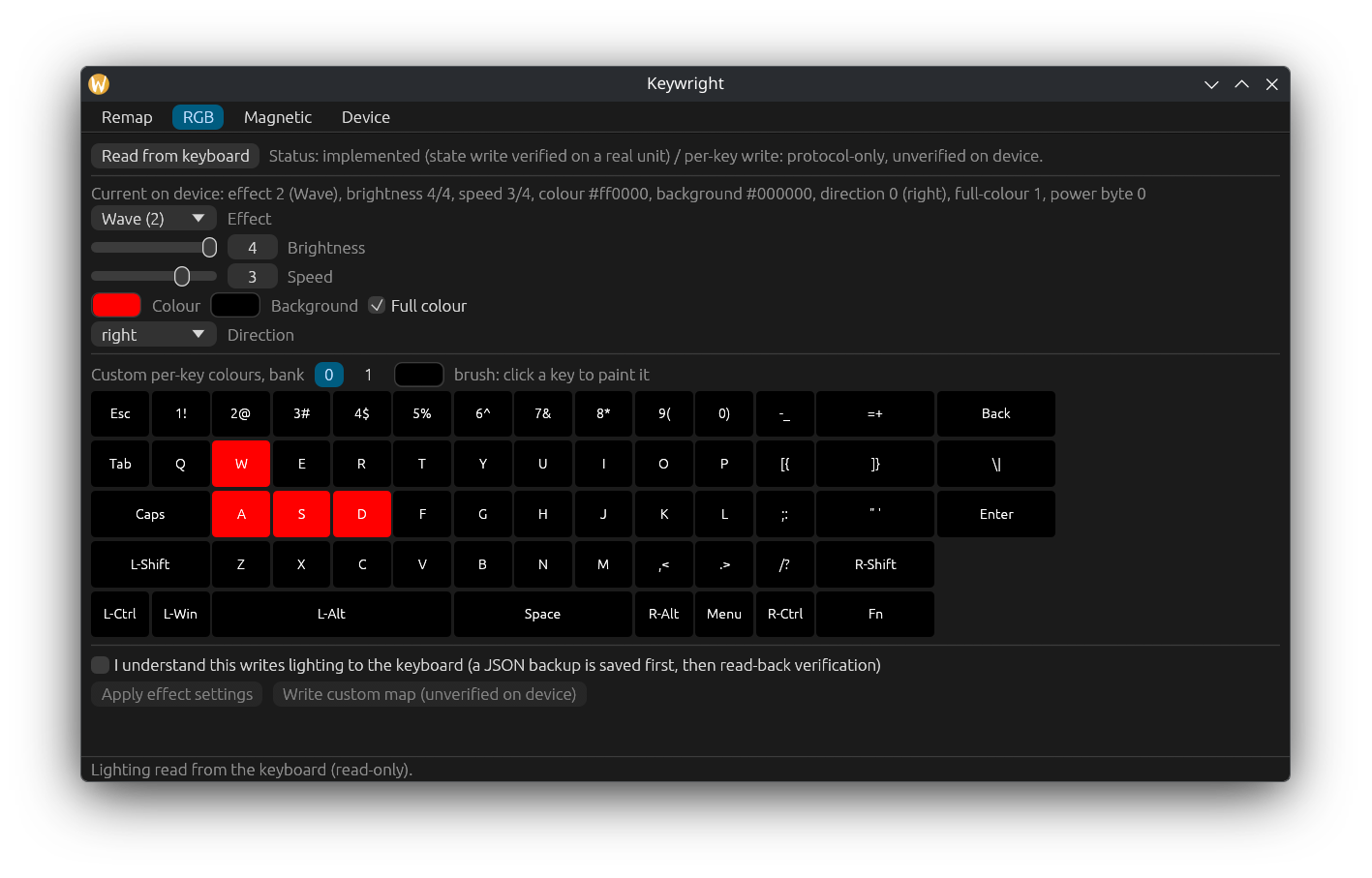
RGB tab on a real KDE Wayland desktop, reading the keyboard it is connected to.
How it works
Write
Describe layers and actions in
keywright.toml, or click keys in the editor.Check
keywright validatecatches unknown keys and layers.keywright simulatereplays a key trace through the engine and prints what would be typed.Run
On Linux, Keywright grabs your keyboard via evdev, runs the engine, and types the result through a virtual uinput keyboard. Left Ctrl + Space + Esc always quits.
$ keywright simulate keywright.toml +caps t=250 +c -c -caps
+caps
t=250
  -> press   lctrl
+c
  -> press   c
-c
  -> release c
-caps
  -> release lctrl
(That output is real; it comes from the included CLI.)
Install
There are no binary releases yet — build from source with a current Rust toolchain. The source is private for now and will be made public soon; no binaries are published.
Status: live remapping is implemented (evdev + uinput). It compiles and the engine is unit-tested, but the live key-grabbing path has not been run-tested yet.
cd keywright   # source checkout (private for now, public soon)
cargo build --release
sudo usermod -aG input "$USER"        # read keyboards; then log out and in
# /dev/uinput must be writable, e.g. a udev rule:
echo 'KERNEL=="uinput", GROUP="input", MODE="0660"' | sudo tee /etc/udev/rules.d/99-keywright.rules
sudo modprobe uinput
target/release/keywright run keywright.toml
Works on X11 and Wayland because it sits below the compositor, at the evdev layer. The trade-off: any process with input group access can read your keystrokes.
Status: CI build configured (result not yet verified); no live remapping backend yet. You can use validate, simulate and the GUI editor to author configs.
cd keywright   # source checkout (private for now, public soon)
cargo build --release
target\release\keywright validate keywright.toml
Status: CI build configured (result not yet verified); no live remapping backend yet. When one exists it will need Accessibility / Input Monitoring permission in System Settings.
cd keywright   # source checkout (private for now, public soon)
cargo build --release
target/release/keywright validate keywright.toml
A config you can read
Layers, combos, macros and profiles are all plain tables. The first layer is the base; other layers fall through to it unless they say otherwise.
| Action | Meaning |
|---|---|
ctrl+c | chord |
tap_hold(a, b) | tap a, hold b |
layer(x) / toggle(x) | momentary / latching layer |
macro(m) | run [macro] m |
trans / none | fall through / swallow |
[settings]
tap_timeout_ms = 200

[[layer]]
name = "base"
[layer.keys]
caps  = "tap_hold(esc, lctrl)"
space = "tap_hold(space, layer(nav))"

[[layer]]
name = "nav"
[layer.keys]
h = "left"
j = "down"
k = "up"
l = "right"

[[combo]]
keys = ["j", "k"]
action = "esc"

[macro]
sig = ["b", "r", "wait(30)", "enter"]

[[profile]]
name = "terminal"
app = "kitty"
[profile.keys]
lalt = "lctrl"
Honest status
| Linux | Windows | macOS | |
|---|---|---|---|
| Engine, CLI, GUI compile | yes (engine unit-tested) | CI configured, unverified | CI configured, unverified |
| Live key grabbing | implemented, not run-tested | not implemented | not implemented |
| WIN 60 HE RGB read / set / restore | implemented; run on a real unit (Linux hidraw); brightness write verified; per-key write not sent | ||
| WIN 60 HE magnetic settings | read-only; writing planned | ||
| Per-app auto-detection | not implemented | not implemented | not implemented |
FAQ
Does it work on Wayland?
On Linux, yes: it grabs devices through evdev and re-emits through uinput, below the compositor, so Wayland and X11 look the same. It does not use Wayland protocols.
Why does it need the input group?
Reading /dev/input/event* and creating a virtual keyboard requires it. Add your user to the group or run as root. Be aware of what that grants.
I locked myself out with a bad config.
Press Left Ctrl + Space + Esc together: Keywright releases the keyboards and exits.
How is it different from kanata, keyd or KMonad?
Those are more mature and have more features; kanata and KMonad already run on all three desktop systems. Keywright is young: its pitch is a small readable TOML format plus a built-in visual editor. Use them if you need production-grade today.
License?
MIT.